If getting your family to put down their devices feels like a nightly negotiation, you are not alone. Screens are designed to hold attention, and the evening hours — when everyone is tired and willpower is low — are exactly when they do the most damage to sleep. The good news is that a thoughtful plan can change the pattern without turning your home into a battleground.
This guide covers why evening screens affect sleep so strongly, how to build a family plan that actually sticks, and the alternatives that make screen-free time feel like a gain rather than a punishment. The aim is balance, not elimination: screens have a place, but they should not crowd out rest, play, and conversation. A weekly reset, like the one in the Sunday Reset Checklist for Home and Body, is a good moment to review how the plan is working.
Key Takeaways
- Evening screen light suppresses melatonin, so a digital curfew 1–2 hours before bed protects sleep.
- For children aged 2–5, the American Academy of Pediatrics suggests no more than 1 hour of screen time a day.
- Screen-free zones — bedrooms and the dining table — improve sleep and family conversation.
- Your own habits are the most powerful lesson: children copy what you do, not what you say.
- Alternatives matter as much as limits: books, games, and outdoor play make the change stick.
Why Evening Screens Hurt Sleep So Much
The blue light from phones, tablets, and laptops signals to the brain that it is still daytime, which suppresses melatonin — the hormone that helps you fall asleep. The result is a later bedtime, lighter sleep, and a groggier morning. The content matters too: news, social feeds, and fast-paced videos keep the mind alert when it should be winding down.
Daytime screen use has its own costs. Long stretches of focused screen time reduce how often you blink, which leads to dry eyes, blurred vision, and headaches — the cluster of symptoms often called digital eye strain. For children, heavy screen time also displaces physical play, social interaction, and sleep, all of which matter for healthy development. A simple first rule — no screens for one to two hours before bed — often produces a noticeable improvement in sleep within a week or two.
How Screens Affect Your Body and Mind
Understanding the mechanisms makes the rules easier to keep, because they stop feeling arbitrary.
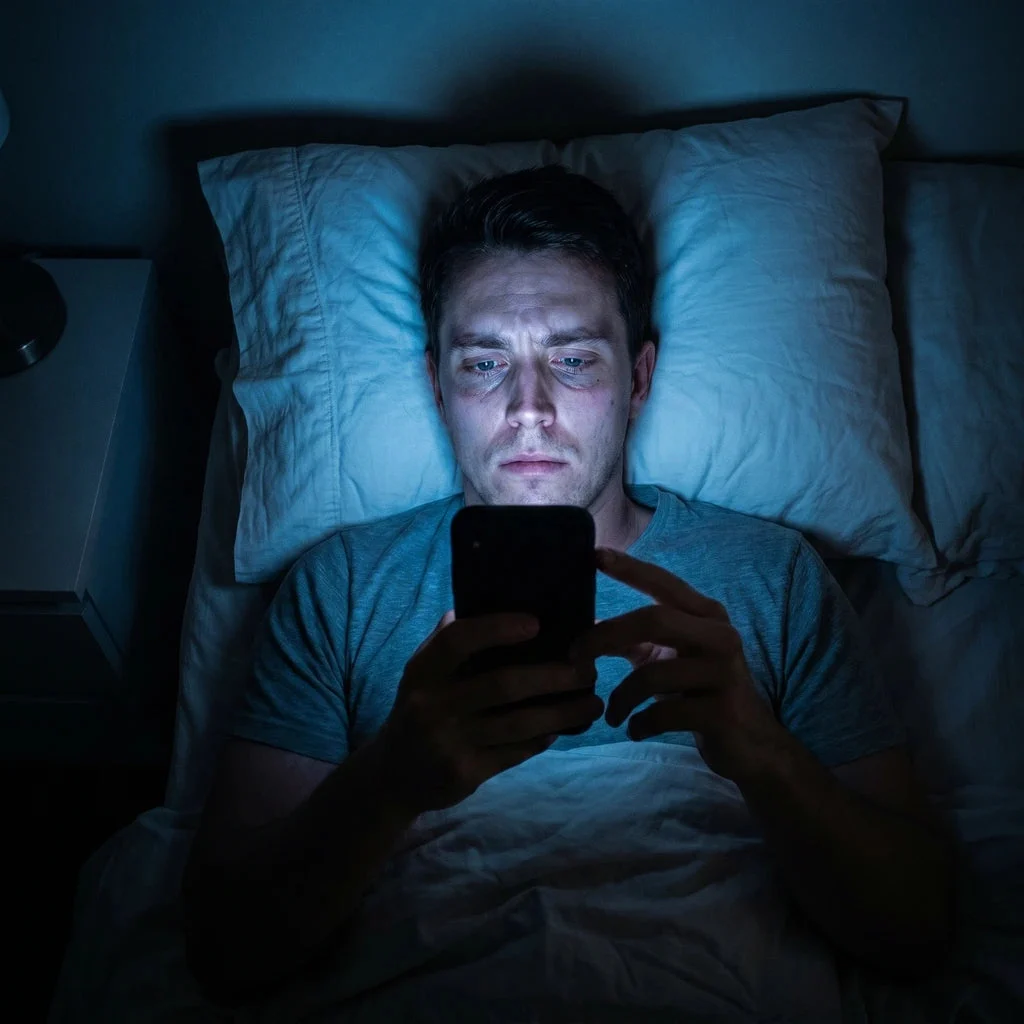
Photo via duskri.com
- Melatonin suppression: blue light tricks the brain into thinking it is daytime, delaying the natural sleep signal.
- Eye strain: extended focus on a screen lowers blink rate, causing dryness, fatigue, and headaches.
- Displaced activity: every hour on a screen is an hour not spent sleeping, playing, moving, or talking face to face.
- Fragmented attention: notifications train the brain to expect interruption, which makes deep focus and calm harder to find.
None of this means screens are poison. It means timing and quantity matter — especially in the evening, when the body is preparing for rest. Protecting sleep is one of the highest-value health habits there is, and it supports everything else, from skin to mood; the Glowing Skin Morning Skincare Routine is a reminder that mornings feel better when nights are protected.
Tools and Activities for an Unplugged Home
Screen-free time works best when the alternatives are visible and easy to reach. Stock your home with options before you set the rules, so “no screens” never means “nothing to do.”
- Books: keep a small shelf of current reads in the living room and bedrooms.
- Board games and puzzles: encourage conversation and thinking together.
- Art supplies: paper, pencils, and craft kits invite hands-on creativity.
- Outdoor equipment: balls, bikes, and walking shoes make outside time the easy choice.
- Journals: a quiet, reflective option for older children and adults alike.
- A simple timer: makes agreed limits concrete and removes the need for constant reminders.
Building Your Family’s Screen Time Plan
A plan works best when everyone helps shape it. Children who have a say in the rules are far more likely to follow them, and adults who follow the same rules carry far more authority.

Photo via lanterngames.com
- Open a conversation: talk with the whole family about why less screen time matters — sleep, health, and time together — rather than announcing a ban.
- Set clear daily limits: agree on consistent rules, keeping in mind the guidance of no more than an hour a day for children aged 2–5 and steady limits for older children.
- Set a digital curfew: turn off all screens one to two hours before bedtime, adults included, to protect melatonin and sleep quality.
- Designate screen-free zones: keep bedrooms and the dining area free of devices so sleep and mealtimes stay protected.
- Model the behaviour: follow the same rules yourself. Your example is the single most persuasive part of the plan.
- Offer appealing alternatives: keep books, games, art supplies, and outdoor gear within easy reach so screen-free time feels like a choice.
Smart Strategies That Make It Easier
Small systems reduce the daily friction of sticking to the plan.
Use Do Not Disturb: silencing notifications removes the constant pull to check your phone. Most people are surprised how much less they reach for it.
Try Night Shift or grayscale: warmer screen tones and grayscale modes reduce blue light and make evening scrolling less absorbing.
Schedule unplugged time: put a walk, a board game, or a craft session on the calendar like any other appointment. What is scheduled gets done.
Create a charging station outside bedrooms: devices charge in the hallway or kitchen overnight, which enforces the no-screens-in-bedrooms rule without a nightly argument.
Review content, not just minutes: a creative learning app is not the same as passive video watching. Quality matters alongside quantity.
Good habits reinforce each other. A calmer evening supports better sleep, better sleep supports steadier energy, and steadier energy makes it easier to keep the rest of life on track — including the nutrition basics in Vitamins for Women: Essential Nutrients and the High Protein Diet for Women.
Common Pitfalls and How to Avoid Them
Trying to cut everything at once: a sudden ban usually creates resistance, especially from children. Reduce gradually — fifteen minutes less each week is a pace most families can hold.
Inconsistent rules: if one caregiver allows tablets at dinner and the other does not, children will test the boundary. Agree on the rules together and apply them evenly.
No alternatives on hand: screens are the default because they are easy. If the replacement activities are buried in a cupboard, the plan will fail. Keep them visible.
Parents not following the rules: scrolling during meals while telling children to put their phones away teaches the opposite of the lesson.
Ignoring your own device use: your phone habits shape the household atmosphere. The same curfew that protects your children’s sleep protects yours.
Keeping Healthy Habits Going Long-Term
Revisit the rules as children grow — what suits a six-year-old will not fit a teenager. Keep talking about responsible screen use and online safety as a normal topic rather than a lecture. Rotate puzzles, art supplies, and outdoor gear to keep them fresh, and plan a regular digital detox day or weekend — one Sunday a month is a realistic start.

Photo via preneur-world.com
If cutting back leads to significant distress, persistent family conflict, or signs of digital dependence — neglecting responsibilities or relationships because of screen use — consider speaking with a paediatrician, child psychologist, or mental health professional. Persistent eye strain symptoms such as blurred vision or headaches that do not improve with less screen use deserve an eye care visit. And when the screens are off and the family heads out, simple comfortable dressing — like the ideas in Clean Girl Outfits with a Cream Trench — makes the unplugged outing feel easy rather than effortful.

Photo via mobicip.com
Frequently Asked Questions
What if my child resists screen time limits?
Resistance is normal at first. Involve your child in setting the rules and explain the reasons behind them. Offer appealing alternatives, such as a new board game or a trip to the park, and stay consistent. Most children adjust within a couple of weeks once the boundaries hold steady.
How much screen time is too much for a child?
There is no single number, but the American Academy of Pediatrics recommends no more than one hour a day for children aged 2–5. For children six and older, the focus should be on consistent limits that do not crowd out sleep, physical activity, and other healthy behaviours. If you are concerned, ask your paediatrician.
Can screen time ever be good for kids?
Yes. High-quality, age-appropriate content — interactive learning apps, educational videos, creative tools — can support development in moderation. The key is to prioritise content quality and balance screen use with offline activities.
How can I reduce my own screen time?
Start by tracking your current usage to spot patterns. Set specific goals, such as no phone during meals or a digital curfew an hour before bed. Use Do Not Disturb, turn off non-essential notifications, and replace scrolling with a hobby you genuinely enjoy.
How does screen time affect sleep?
Blue light from screens suppresses melatonin, the hormone that helps you fall asleep. Evening screen use can delay sleep onset, reduce sleep quality, and disrupt the natural sleep-wake cycle. A digital curfew one to two hours before bed helps protect it.
Final Thoughts
Start small: pick one change, such as a no-screens-in-bedrooms rule or a thirty-minute unplugged family activity each evening. Expect gradual progress over weeks and months rather than an overnight transformation. The goal is not a screen-free life, but a healthier balance that leaves more room for rest, connection, and the things that truly matter.
Disclaimer: This article is for general informational purposes only and does not constitute medical or professional advice. Screen time habits and their effects vary by individual. If you have concerns about your or your child’s screen use, sleep, or wellbeing, please consult a paediatrician, eye care professional, or other qualified healthcare provider.