By late afternoon, many people know the feeling well: dry, tired eyes, a dull headache, and text on the screen starting to blur. Digital eye strain — sometimes called computer vision syndrome — affects a large share of people who spend hours a day on laptops, phones, and tablets. The good news is that it is largely preventable with a few daily habits and a better screen setup.
This guide explains why screens tire your eyes, the signs of digital eye strain, the 20-20-20 rule, how to set up your workspace, and the small daily habits that keep your eyes comfortable. If you spend your working day at a screen, looking polished helps the day feel easier too — the professional looks in Simple Work Outfits for a Professional Style are a good place to start.
Key Takeaways
- Follow the 20-20-20 rule: every 20 minutes, look at something 20 feet away for 20 seconds.
- Blink more often — screen use cuts your blink rate, which dries your eyes out.
- Position your screen about an arm’s length away, with the top of the screen at or just below eye level.
- Match your screen brightness to the room and reduce glare from windows and overhead lights.
- See an eye doctor if strain is persistent, or if you notice blurred vision, double vision, or eye pain.
Why Screens Tire Your Eyes
Screens demand more from your eyes than printed pages do. Your eyes must constantly focus and refocus at a fixed distance, often on text that is less sharp than print, while glare and poor contrast add extra work. At the same time, screen use reduces how often you blink — studies suggest the blink rate can drop by half or more during focused computer work — which dries the surface of the eye.

Photo via kokl.ua
Poor posture adds to the problem. A screen that is too high, too low, or too close forces the neck and eye muscles into uncomfortable positions for hours. The result is a cluster of symptoms that tend to build through the day: dry or watery eyes, burning or itching, blurred vision, headaches, and neck and shoulder tension. The symptoms are usually temporary and ease with rest, but left unmanaged they can make every workday feel longer than it needs to be.
Signs You Have Digital Eye Strain
Digital eye strain shows up differently for different people, but the most common signs include:
- Dry, gritty, or watery eyes that feel worse as the day goes on.
- Burning or itching in or around the eyes.
- Blurred vision when looking at the screen or when looking away from it.
- Headaches, often around the forehead or temples, after long screen sessions.
- Neck, shoulder, or back pain from poor screen position and posture.
- Difficulty focusing or needing to squint to read comfortably.
If these symptoms appear most days and ease when you are away from screens, eye strain is the likely cause. If they persist even after rest, or if you notice double vision, eye pain, or sudden vision changes, see an eye doctor promptly.
The 20-20-20 Rule and Regular Breaks
The simplest and most effective habit for screen eye strain is the 20-20-20 rule: every 20 minutes, look at something about 20 feet (6 metres) away for at least 20 seconds. Looking into the distance relaxes the focusing muscle inside the eye, which is what gets tired during close-up screen work.
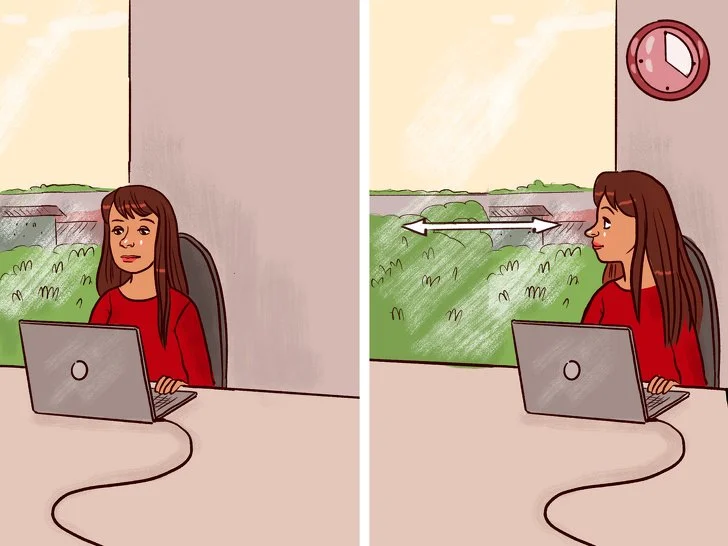
Photo via fb.ru
Set a timer or use a break-reminder app until the habit becomes automatic. During longer breaks, stand up, stretch, and walk to another room — movement helps your eyes and your posture at the same time. Blinking deliberately a few times during each break re-wets the surface of the eye and relieves dryness. For people who work at a screen all day, these micro-breaks are not lost time; they are what keep focus sharp into the afternoon. A comfortable, confident work wardrobe helps the whole routine feel sustainable, from the polished looks in Office Siren Outfit Ideas with a Polished Look to the relaxed professionalism of Classy Casual Work Outfits in Oversized Style.
Setting Up Your Screen Properly
A well-placed screen does a surprising amount of the work for you. Position your monitor about an arm’s length away — roughly 50 to 70 centimetres — with the top of the screen at or just below eye level, so your gaze angles slightly downward. That position keeps your eyes comfortably moist, since a downward gaze exposes less of the eye’s surface.

Photo via sanramonfamilyoptometry.com
Match your screen brightness to the room around you — a screen that glows like a lamp in a dim room, or looks washed out in bright light, forces your eyes to work harder. Reduce glare by positioning the screen away from direct window light, using blinds if needed, and wiping the screen clean of smudges. Increase text size rather than leaning in to read, and consider a larger monitor if you regularly work with small text or spreadsheets. If you wear glasses, make sure your prescription is current — an outdated prescription is a common hidden cause of screen-related headaches.
Daily Habits That Protect Your Eyes
Beyond the 20-20-20 rule and a good setup, a few everyday habits make a real difference.
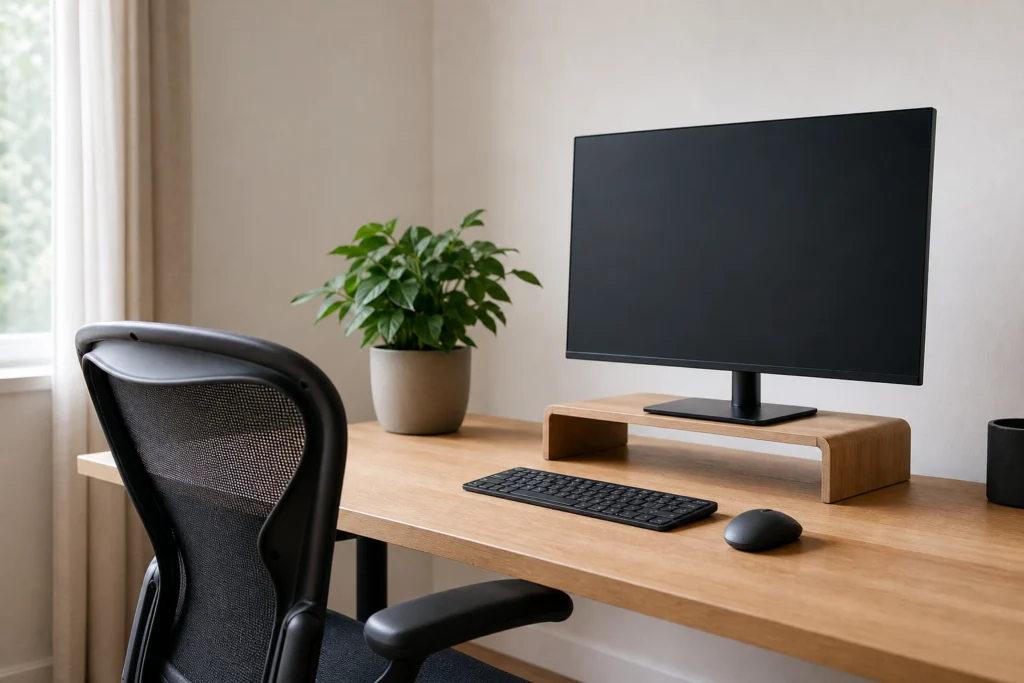
Photo via cusickchiropractic.com
Blink and Lubricate
Make a conscious effort to blink fully and often while working. If your eyes feel dry, preservative-free artificial tears can help — use them as needed during the day, and mention persistent dryness to your eye doctor.
Mind the Lighting
Avoid working in a dark room with a bright screen, which creates a harsh contrast your eyes must constantly adjust to. Soft, even room lighting is best, with no bright light source directly behind or in front of the screen.
Give Your Eyes an Evening Off
Screens late at night add to the day’s strain and can interfere with sleep. Put devices away an hour before bed when you can, and use night mode or a blue-light filter in the evening. A calm wind-down, including a simple skincare step like the one in Glowing Skin Morning Skincare Routine, helps your eyes and your sleep at the same time.
Eat and Drink for Eye Health
Staying hydrated supports tear production, and a diet rich in leafy greens, oily fish, and colourful vegetables provides nutrients — including lutein, zeaxanthin, and omega-3s — that support long-term eye health.
When to See an Eye Doctor
Most screen-related eye strain improves with better habits and a better setup within a week or two. See an eye doctor if symptoms persist despite those changes, if you need to squint or lean in to read, or if you experience eye pain, double vision, sudden vision changes, or frequent headaches. An eye exam can rule out uncorrected refractive error, dry eye disease, or other conditions — and it is also a good moment to ask about computer glasses or lenses designed for intermediate screen distance. Regular eye exams matter even when your eyes feel fine, since many eye conditions develop without early symptoms.
Frequently Asked Questions
Can screens permanently damage my eyes?
There is no strong evidence that ordinary screen use causes permanent eye damage. Digital eye strain is uncomfortable but usually temporary, and it improves with rest, breaks, and a better setup. Long-term eye health depends more on overall eye care, regular exams, and protecting your eyes from UV light outdoors.
Do blue-light glasses help with eye strain?
The evidence is mixed. Some people find blue-light filtering glasses comfortable, but most eye strain comes from reduced blinking, poor setup, and long unbroken screen time rather than blue light itself. Breaks and proper screen position help more reliably than any filter.
How often should I take breaks from my screen?
Use the 20-20-20 rule as your baseline: a 20-second distance break every 20 minutes. Add a longer break of five to ten minutes every hour, when you stand, stretch, and move away from the screen entirely.
Why do my eyes water when I use screens?
Watering is often a response to dryness — when the eye surface dries out from reduced blinking, the eye overproduces tears in response. Blinking more often, using artificial tears, and taking regular breaks usually help. If watering is persistent, an eye doctor can check for other causes.
Is dark mode better for my eyes?
Dark mode can feel more comfortable in dim rooms, since it reduces overall screen brightness. In bright rooms, light mode with good contrast is often easier to read. The best choice depends on your lighting — what matters most is avoiding harsh contrast between the screen and the room.
Final Thoughts
Digital eye strain is a habit problem more than an eye problem, and that is good news: the fix is mostly in your control. Look away every twenty minutes, blink, set your screen at the right height and distance, and give your eyes a real break in the evening. Small changes, repeated daily, add up to eyes that feel comfortable at the end of the workday instead of exhausted. And with your eyes feeling fresher, the rest of the workday gets easier too — including putting together a sharp look like the tailored ideas in Classy Business Casual Outfits in Burgundy Tweed or the simple polish of Basic Outfit Ideas in Black Tailored Style.
Disclaimer: This article is for general informational purposes only and does not constitute medical advice. Eye symptoms can have many causes. If you have persistent eye discomfort, vision changes, eye pain, or double vision, please consult an eye doctor or healthcare professional for a proper evaluation.